
Energiamegtakarítás
Hidden electricity use: 5 devices to check at home
A blank screen does not necessarily mean zero power consumption. Here is where to look for standby power use, how to calculate its cost, and when disconnecting devices may be unnecessary.
2026-11-24 · 5 min read
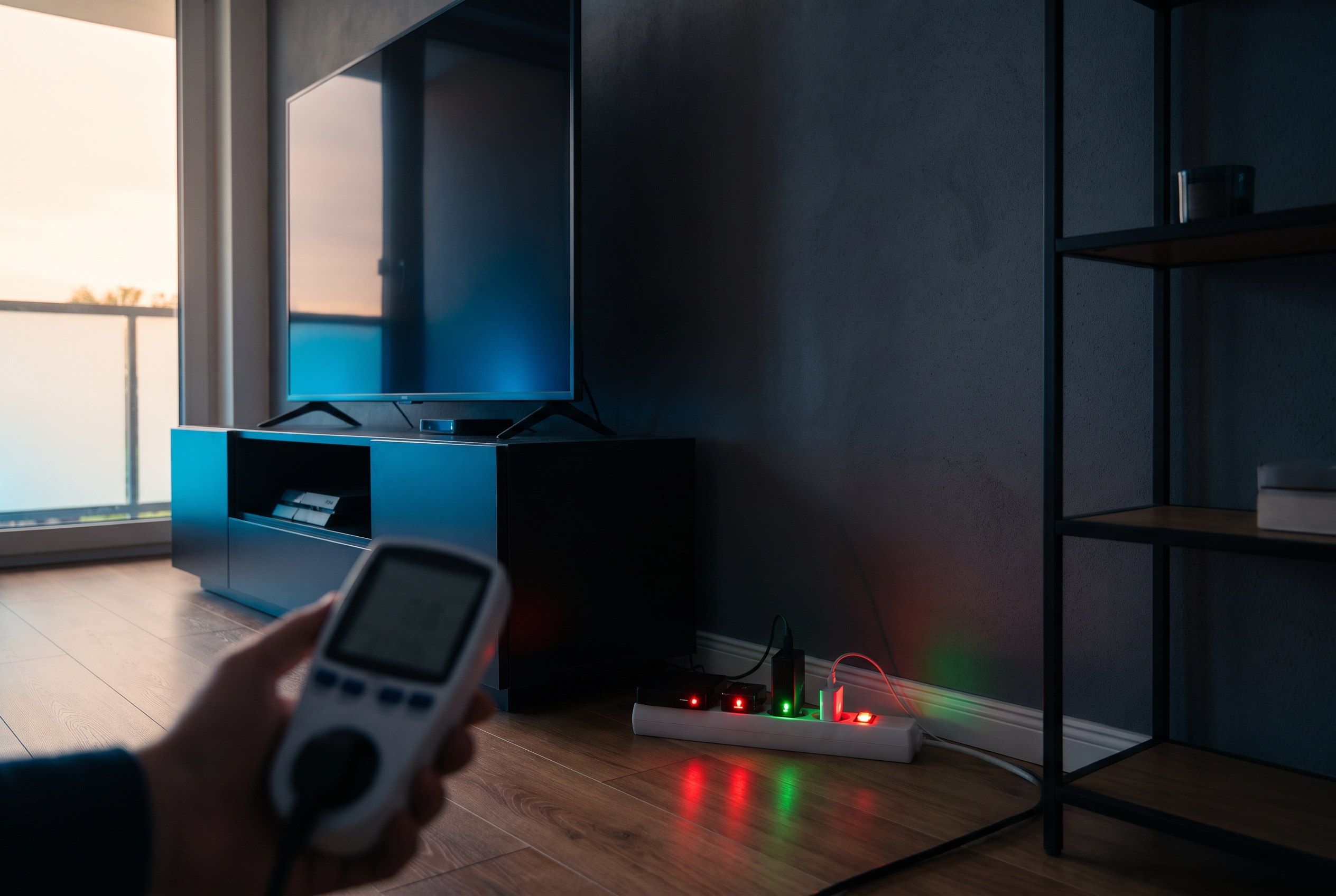
A television switched off with the remote and a charger left plugged in can still draw electricity when they appear to have nothing left to do. According to an analysis by Octopus Energy, however, this is often a very small amount for modern devices. There is no reason to treat every plugged-in device as a major drain on your finances. The more useful question is: how much electricity does each of your devices use, and what would you lose by disconnecting it completely?
Switching off and disconnecting the power are not the same
According to the European Commission's guidance, off mode, standby and networked standby are different operating modes. A dark screen alone therefore does not tell you which state a device is in. It also matters whether any background functions or network connections remain active.
As described in EU Regulation 2023/826, requirements limit the energy consumption of these operating modes for the household and office equipment covered. This does not mean, however, that every device in your home consumes the same amount. Origin Energy's overview also points out that standby power consumption can vary considerably between models.
1. Check your television's settings first
Your television belongs on the checklist, but it will not necessarily offer the greatest potential savings. According to Octopus Energy's analysis, alarming generalisations about the standby consumption of modern televisions can be exaggerated. A newer television is not necessarily a significant source of hidden electricity use simply because a small indicator light is on.
Check the user manual to see which switch-off and energy-saving options your television offers. If you find a quick-start or network wake setting, consider whether you actually use it. Before disconnecting the power completely, check whether the manufacturer requires any standby operation or a particular shutdown procedure.
2. Check the media box beside your television separately
Do not treat your entire television setup as a single device. Add the connected set-top box or media player to your list separately, and check what switching it off actually means. Based on the European Commission's guidance on operating modes, it is particularly worth distinguishing networked standby from other states.
If your device offers recording, updates or remote access, check its manual to find out which operating mode these require. Only plan to connect it to the same switched extension lead as your television if the operating instructions and the functions you need allow this. A saving is not worthwhile if it regularly means missing out on something you want to use.
3. Include your whole workstation, not just the computer
At your desk, do not stop at the computer: list the monitor, speakers and separate power supplies too. This does not mean that they all consume significant amounts of electricity, but that they can be checked individually. Given the differences between models highlighted by Origin Energy, it is not worth relying on a single general wattage figure here either.
Note how you normally shut down each device, then look up its energy-saving options. If you are considering a switched extension lead, first check the operating instructions for both the devices and the extension lead. Do not replace a proper computer shutdown by simply cutting the shared power supply.
4. Find out what rest mode means on your games console
Do not just look for the console's power button: check its power management menu too. If there are several shutdown or rest options, consult the manufacturer's guidance to find out which functions each leaves available. The distinction between standby and networked standby is also useful here, as explained in the European Commission's general guidance.
Base your decision on your habits: do you really need the available background functions, or has a convenience setting simply been left enabled? If you change it, check afterwards whether the console still works as you need it to. Always follow your own console's shutdown instructions before disconnecting the power.
5. Check your phone charger, but do not expect major savings
A charger left in a socket is an obvious target because it is easy to unplug. According to Octopus Energy's analysis, however, modern wall chargers can consume very little power when idle. It is therefore worth distinguishing between an easy action and a genuinely meaningful saving.
If convenient, you can put the charger away when it is not in use, but do not automatically buy a new control device just for this purpose. First check whether there is any older or more complex equipment at home whose operation you have not yet examined. Where possible, let your measurements determine your priorities, rather than the charger's size or the brightness of an indicator light.
Calculate the real cost from measured consumption
According to the US Department of Energy's measurement guidance, measuring standby power requires particular care. For home checks, look for a plug-in electricity meter whose specifications also cover low-power measurement. Always interpret a displayed zero in the context of the meter's measurement capabilities.
The calculation is: power in watts × hours spent in that state ÷ 1,000 = energy consumption in kilowatt-hours. As an illustrative calculation, a device drawing a constant 1 watt would use 8.76 kWh over 365 days; at 5 watts, the equivalent figure would be 43.8 kWh. These are not measurements of actual devices, but examples calculated from an assumed, constant power draw.
To obtain the cost in forints, multiply the resulting kWh figure by the consumption-based unit rate that applies to you. Use your own bill and tariff details for this; MVM Next's electricity bill guidance can help you understand the charges. Do not simply divide your total monthly bill by your consumption without considering its components, because the aim here is specifically to identify the cost of avoidable electricity use.
A simple switch can be a better starting point than a smart plug
Octopus Energy's analysis warns that a smart plug itself consumes electricity, so it does not always deliver a net energy saving. This is particularly worth considering if you would use it to control a device with already very low standby consumption. Automation can be convenient, but convenience and savings are not the same thing.
- List devices with separate power supplies, not just larger appliances.
- Check the user manual for switch-off and standby options.
- Where possible, take measurements in the same, clearly identifiable operating state.
- Use the length of time for which standby could actually be avoided in your calculations.
- Only use a switched extension lead or timer in accordance with the connected devices' instructions.
- Consider both the new accessory's own power consumption and its purchase price.
The best starting point is not to unplug everything every evening, but to get to know your own devices. Check the settings first, then measure and calculate before changing your routine. This guide provides general information and does not replace manufacturers' instructions or, where necessary, advice from a qualified electrician.
Sources used
- 1.Commission Regulation (EU) 2023/826eur-lex.europa.euverified
- 2.Measuring Standby Powerenergy.govverified
- 3.Részletes információk az áramszámlárólmvmnext.huverified
- 4.Vampire Devices Debunkedoctopus.energyverified
- 5.Standby, networked standby and off mode rulesenergy-efficient-products.ec.europa.euverified
- 6.Understanding Standby Poweroriginenergy.com.auverified
- 7.Phantom Loads Overviewenergysage.com
These sources were used during our editorial fact check.
Related Articles

Gazdaság
EU customs rules change for orders from non-EU shops
2026-09-24 · 6 min read

Technology
Where does your electricity come from right now? A live dashboard of Hungary's power system
2026-08-03 · 7 min

Health
Lateral hip pain: what does it indicate, and when should you see a specialist?
2026-07-31 · 9 min read